
Show live GitHub activity on your personal site
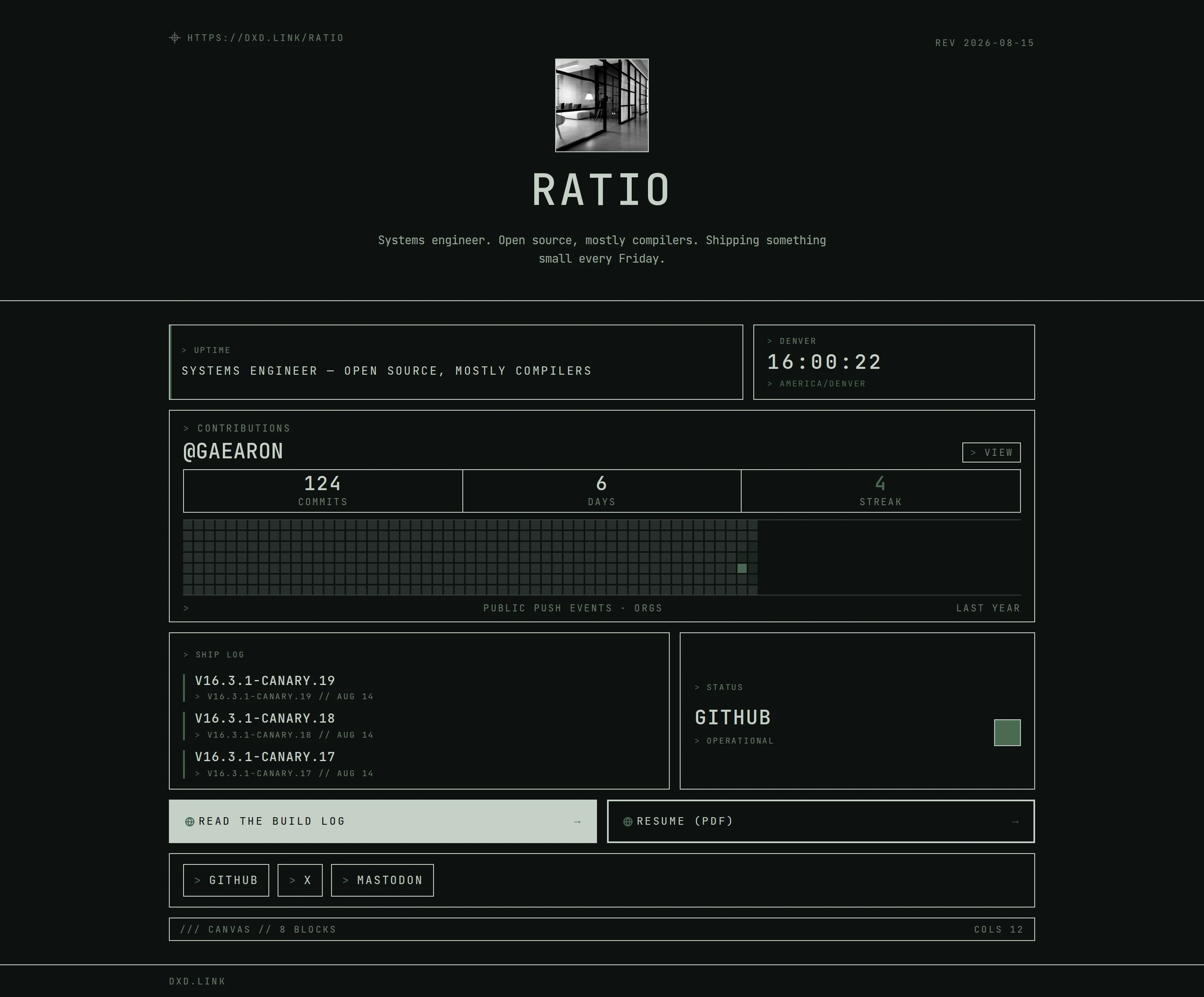
dxd.link can put your live GitHub contribution graph on a personal page, next to the latest releases from your repos and a status check for your project. Add a GITHUB block with your username and it stays current on its own. It is free on every plan.
How it works
- 01Add a GITHUB block in the editor and enter your username or profile URL.
- 02To include private contributions, connect GitHub in Settings under Connections, then turn on private contributions in the block.
- 03Add a RELEASES block with a public repository, such as owner/repo, to show the latest one to three releases.
- 04Publish. The graph and releases update without further edits.
A full year of work
The GITHUB block draws a 365-day contribution graph from your public activity, the same shape people know from your GitHub profile.
Private counts, nothing else
If you opt in, private contributions add to the counts. Repo names and commit messages are never shown.
More than a graph
Pair it with RELEASES for your main project, STATUS for a health-check URL, and FEED for your blog's RSS, and the page becomes a living record of what you build.
Which plan
GITHUB, RELEASES, STATUS, and FEED blocks are free, including private contribution counts. Creator adds a custom domain, extra tabs, and full analytics.
Questions
Is the GitHub block free?
Yes. GITHUB, RELEASES, STATUS, and FEED blocks are on every plan.
Can it include private repositories?
It can include private contribution counts if you connect GitHub in Settings and opt in on the block. It never shows private repo names or commit messages.
Why are some of my commits missing?
GitHub counts a commit when it lands on a repository's default branch with an email tied to your GitHub account. Organizations that enforce SAML may also hide private counts.
Can I show releases from someone else's repo?
The RELEASES block works with any public repository. Most people point it at a project they maintain.
Does it load GitHub scripts on my page?
No. dxd.link fetches the data on its own servers and renders it in your skin, so no third-party scripts run for your visitors.