
A personal page for musicians and artists
One link for releases, shows, merch, listen links, and visuals. Arrange blocks, publish from draft, schedule drops when you need them.
One link for the whole release week
Musicians and artists often need more than five buttons. Listeners want the new track, the ticket link, the merch drop, a photo or video, and a way to stay on the list. dxd.link is a personal page you arrange with blocks, then share as one URL in a bio, story, or email. Free publishes at dxd.link/yourname with the full first-party block set and curated skins. No card required to start.
What belongs on the page
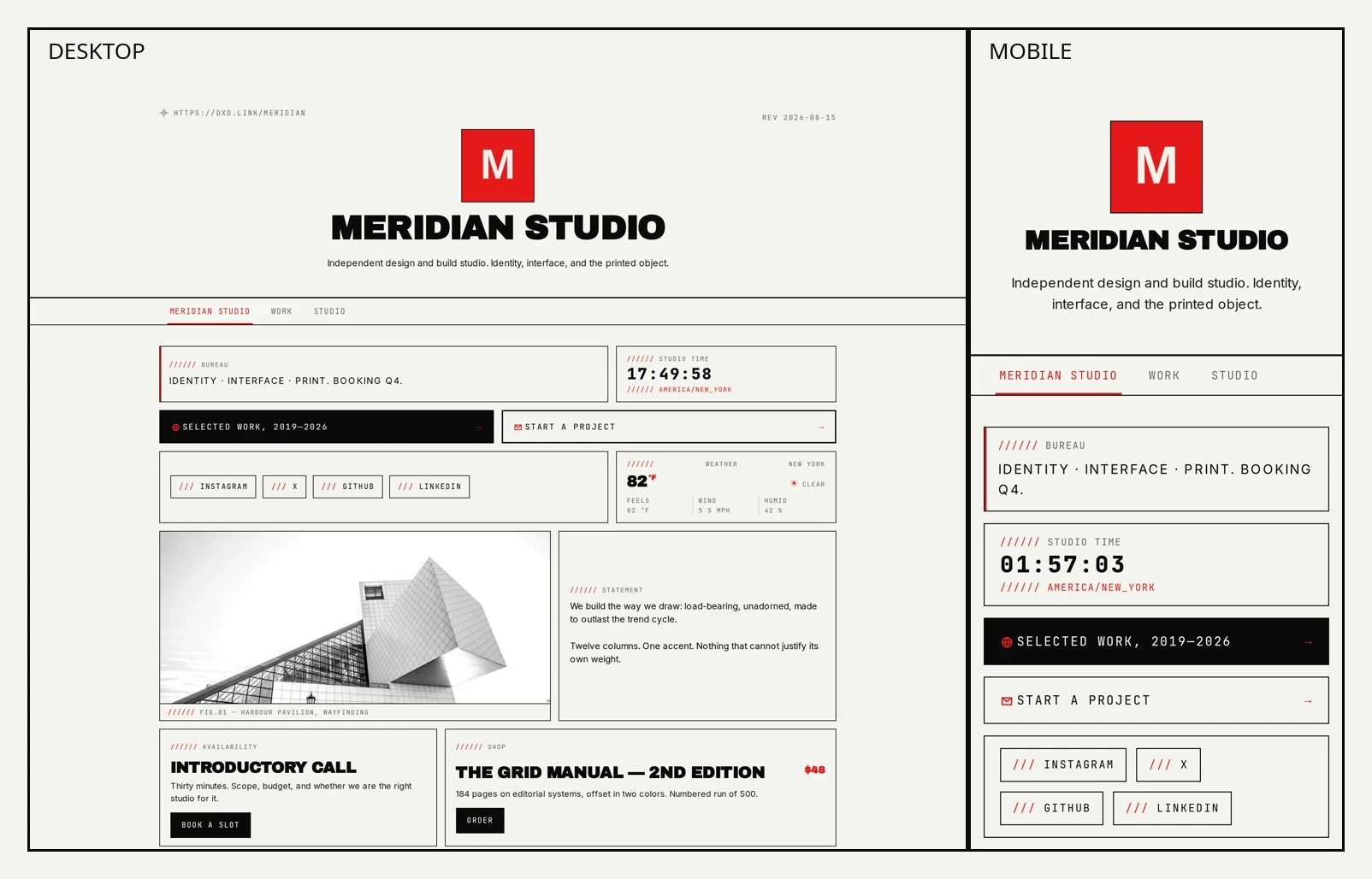
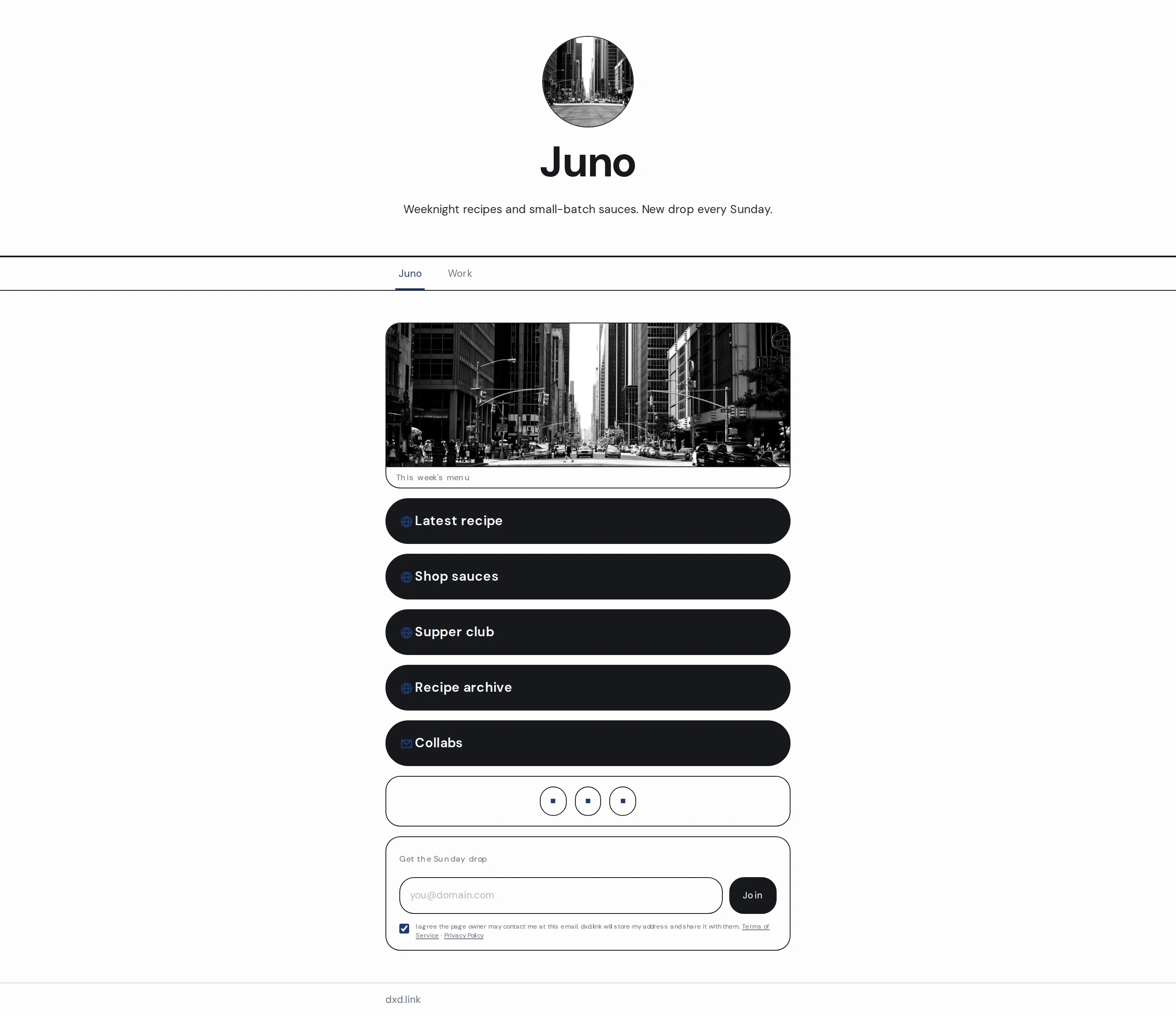
Eighteen block types are available on every plan for ordinary creators. For music and visual work, the useful core is simple: LINK buttons (spotlight one as a full-width CTA), MUSIC for a playlist or featured track link, IMAGE and VIDEO for art and clips, PRODUCT cards that point at an existing shop, EMAIL capture, plus CALENDAR or BOOKING when dates or sessions matter. SOCIAL rows keep platforms tidy. Arrange them on a grid instead of stacking everything into one endless list. dxd.link is not a checkout or storefront; payment stays on the destination you already use.
Pick a look that fits the work
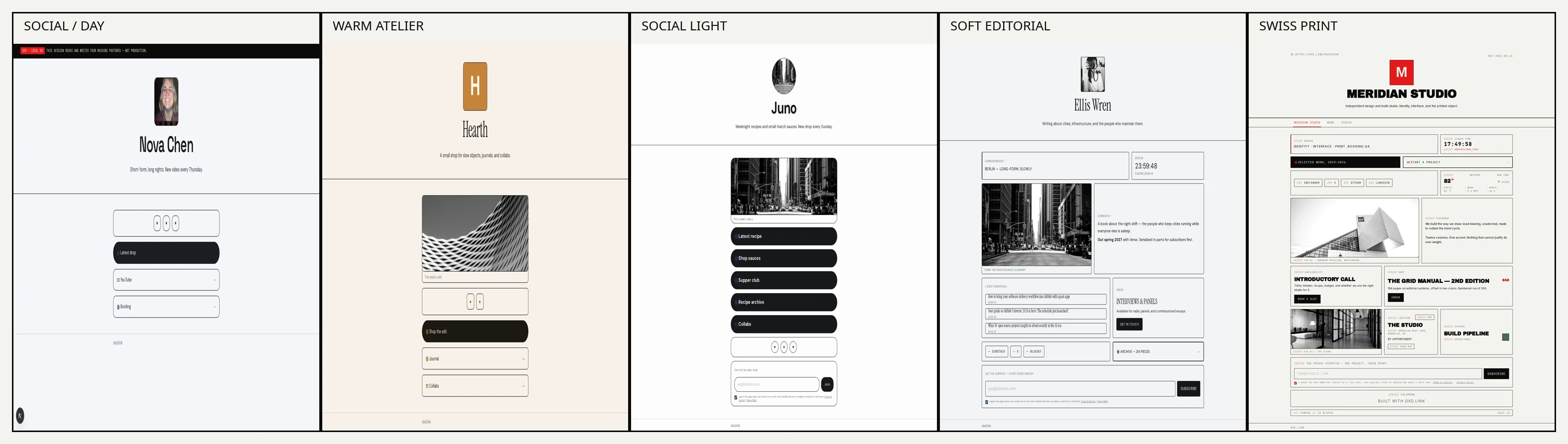
Free includes every curated skin. Start in the Social or Studio families when you want something that feels like a creator page people already recognize: Social Light, Social Dark, Social / Day, Social / Night, Warm Atelier, Daylight, Apricot, and Clean Canvas are all in that approachable range. Swiss Print, Night Press, and Mono Terminal stay available when you want a sharper editorial frame. Change the skin in Appearance; your blocks stay put. Preset accents are free; a custom accent color is on Creator.
Edit in draft, share what’s live
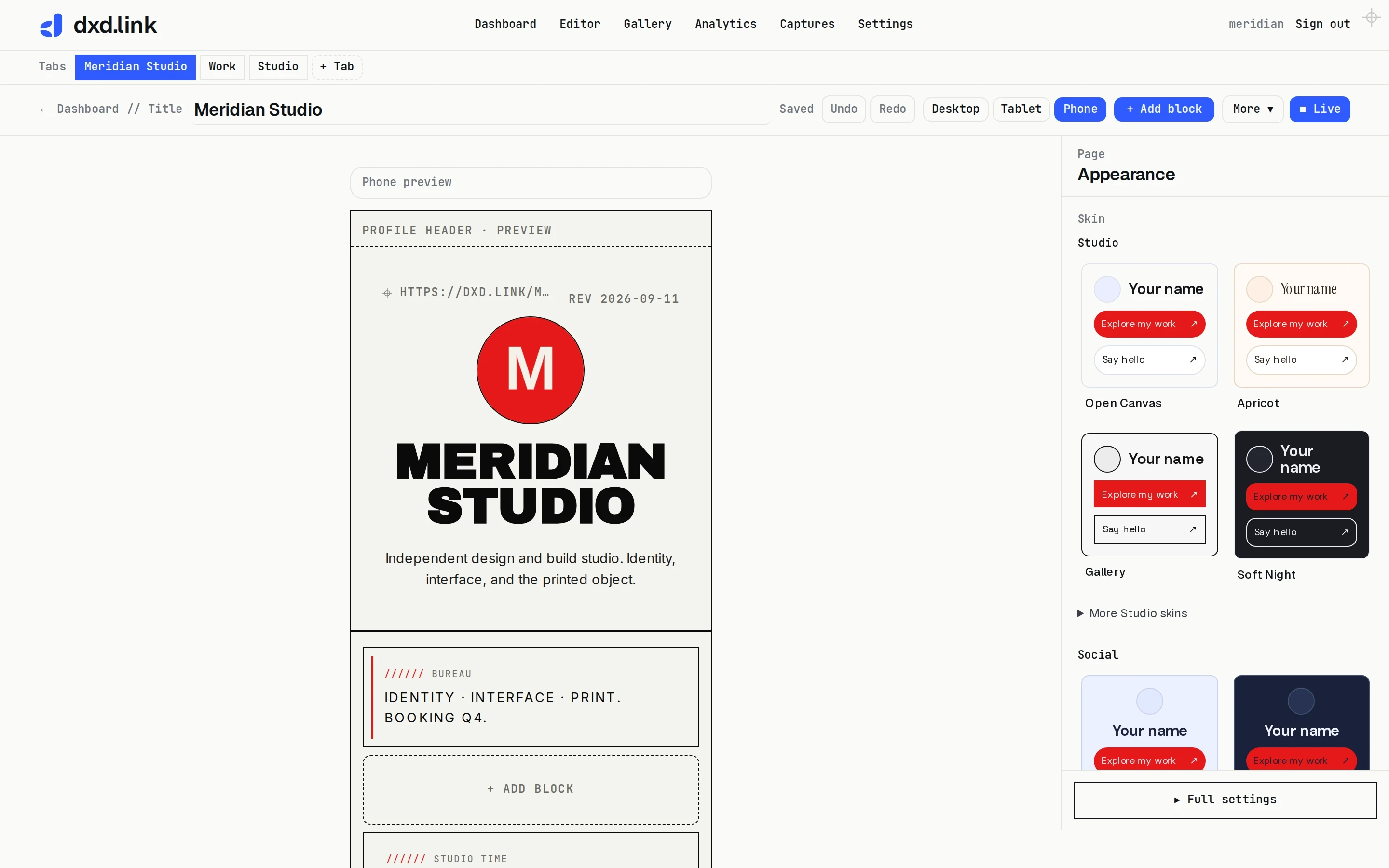
Public visitors only see what you publish. Keep rearranging releases, swapping cover art, and rewriting CTAs in draft. Preview the phone breakpoint before you go live. When the page is ready, publish and copy the live URL into your bio. Named layouts on paid plans can stash a seasonal variant without throwing away the live page.
Schedule the drop, keep the page calm
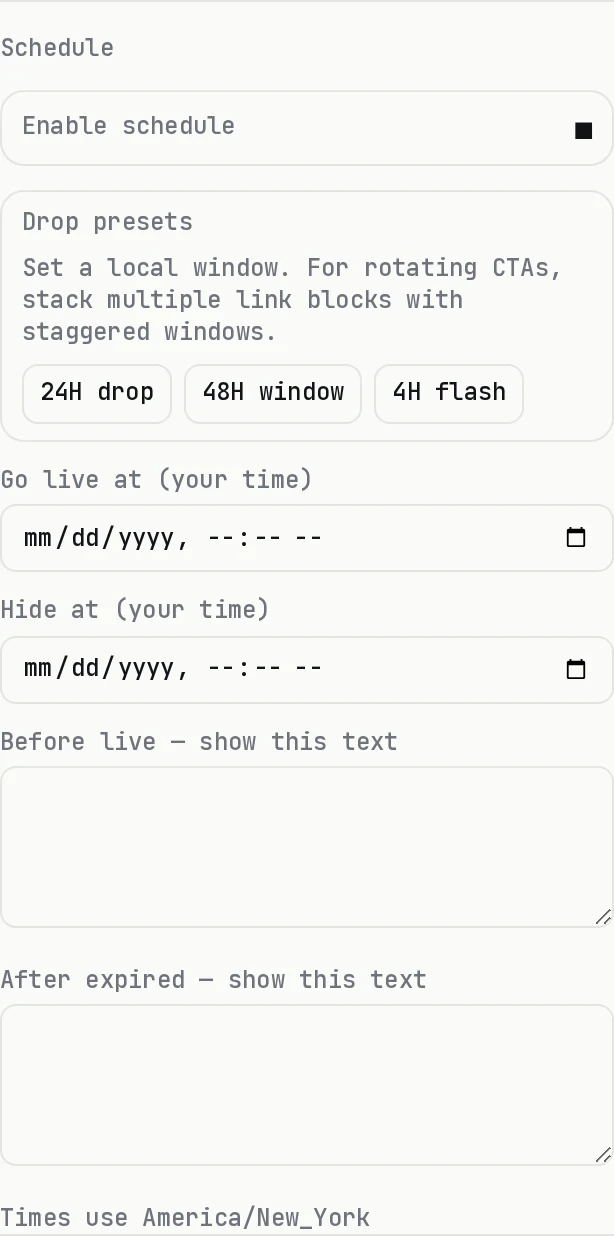
On Creator or Founding, any block can take a go-live and hide-at time in your page timezone. Use the 4h, 24h, or 48h drop presets when the window is short. Keep evergreen listen and follow links on the main page. Schedule the merch CTA, ticket onsale, or limited print drop so it appears for the window and disappears when it should. You set it once instead of babysitting the bio at midnight. Full walkthrough: schedule links for drops.
When one tab is not enough
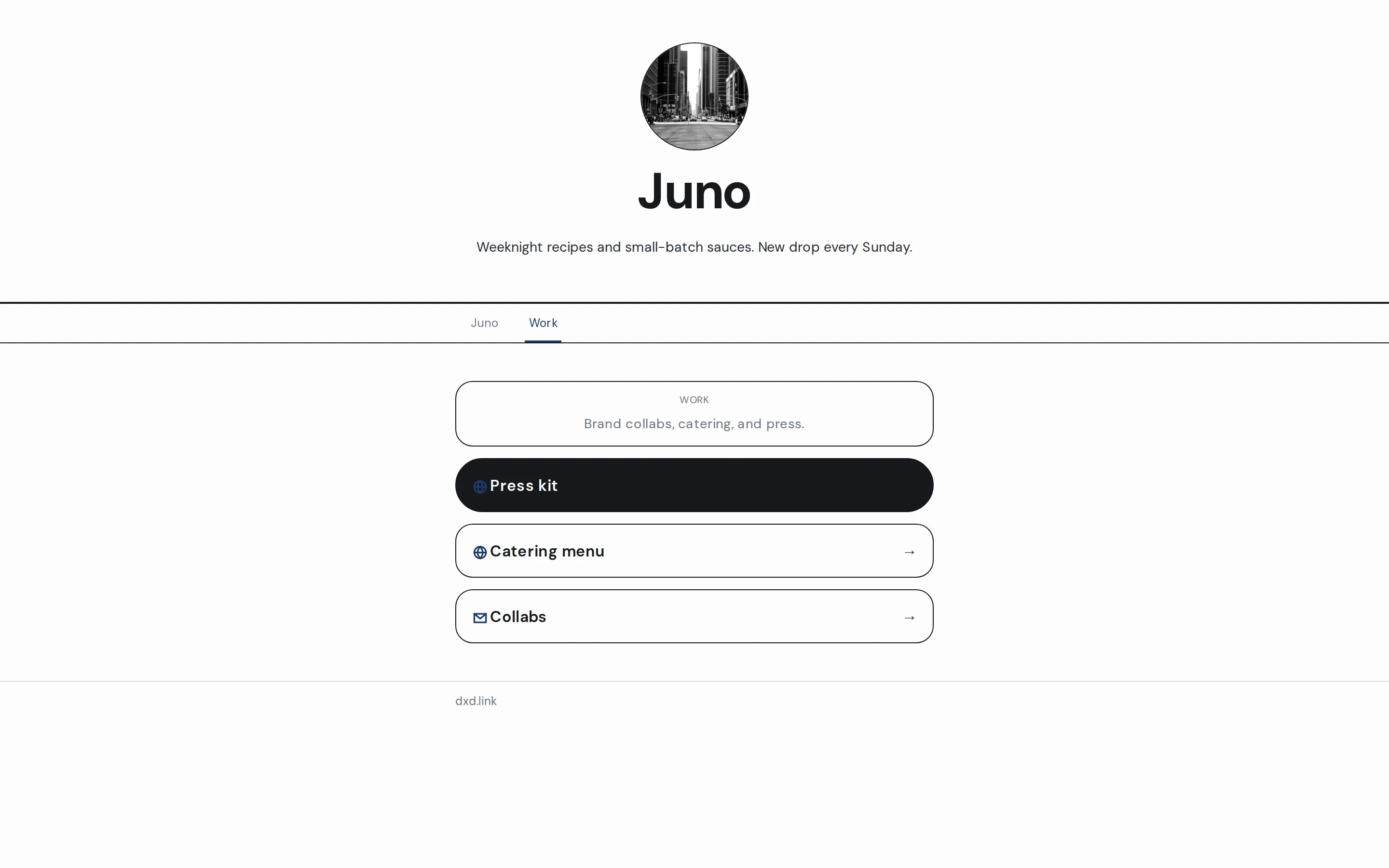
Free includes one primary tab, which is enough for many bios. Creator unlocks more tabs under the same handle, so you can keep a calm main page and put Tour, Shop, or Press on their own paths. Share the tab that matches the moment. Each tab still has its own draft and live snapshot. Tab setup detail is in the multi-page guide.
Start free
Claim a handle, pick a starting shape, replace a couple of starter fields, preview on phone, and publish. Free keeps the page live and does not expire. Upgrade to Creator when you need scheduled blocks, extra tabs, custom domains, or deeper analytics. Until then, one good page in your bio is the whole point. For the wider capability tour, read what’s live in dxd.link.