
Show Spotify now playing on your link-in-bio page
dxd.link can show what you are listening to on Spotify, live, on your public page. Connect Spotify in Settings, turn on live mode in a MUSIC block, and visitors see your current track, or the last one you played when you are idle. Live now-playing is on Creator and Founding.
How it works
- 01Open Settings, then Connections, and select Connect Spotify.
- 02In the editor, add a MUSIC block or select an existing one.
- 03Turn on live mode. Set a fallback title, artist, and link for when nothing has played yet.
- 04Publish. Your page shows the current track while you listen and your most recent track otherwise.
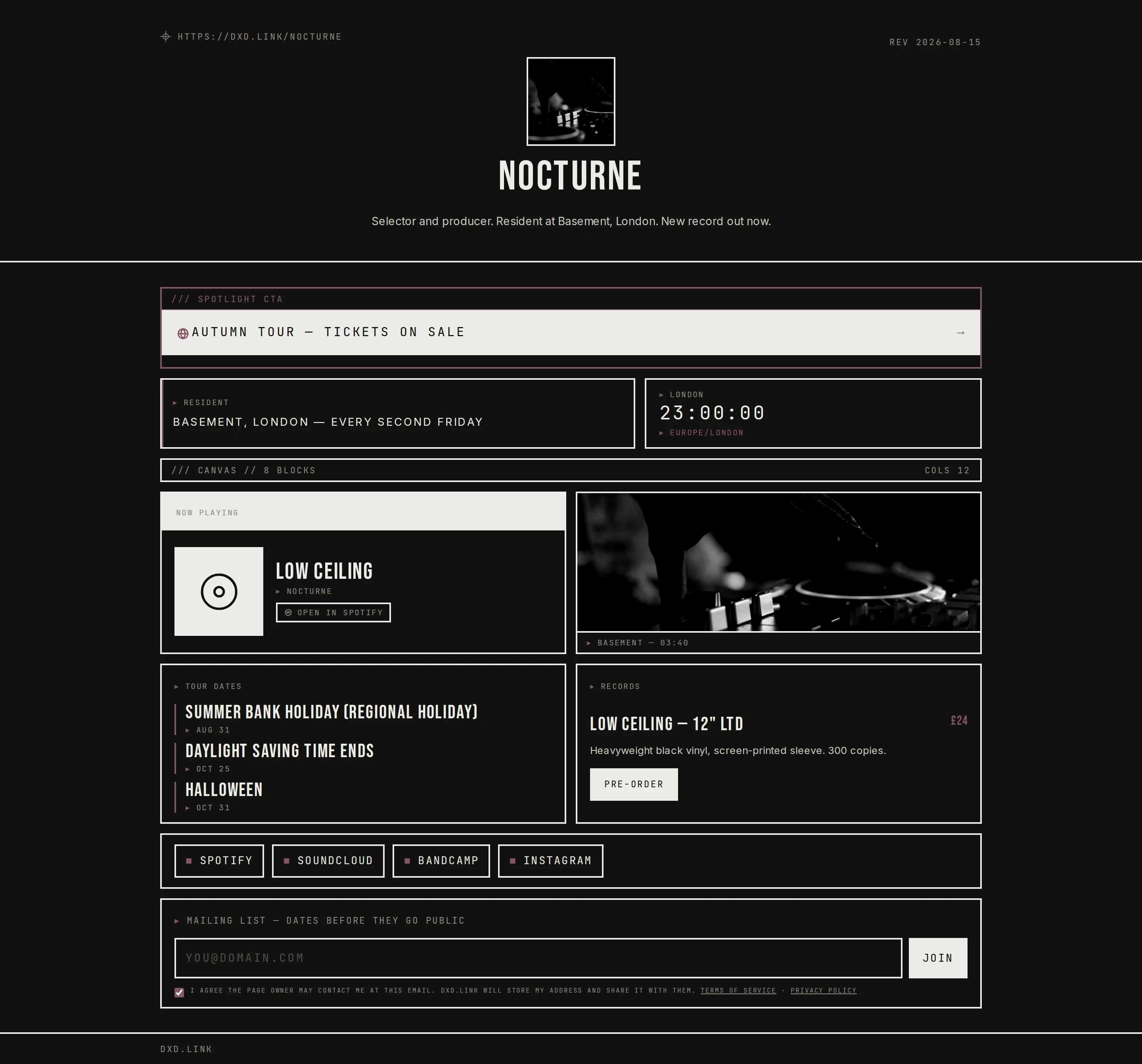
What visitors see
A now-playing label with the track title, artist, and a button that opens it in Spotify. When you stop listening, the block switches to recently played with your last track. If Spotify has nothing to show, your fallback link appears instead.
No player scripts
The block links out to Spotify rather than embedding a player, so your page stays light and no third-party scripts run for your visitors.
Your account stays yours
You can disconnect Spotify from Settings at any time. dxd.link only reads what is playing. It never changes anything in your Spotify account.
Which plan
Free includes the MUSIC block for any track, album, or playlist link. Live now-playing needs Creator ($4.99 a month) or Founding.
Questions
Which plan includes Spotify now playing?
Creator ($4.99 a month) and Founding ($49.99 a year). The MUSIC block itself is free for linking any track, album, or playlist.
Does it show my private listening?
It shows the track your connected Spotify account is playing, or the most recent one. If you would rather not share a session, pause, turn off live mode, or disconnect Spotify in Settings.
Does it work with Apple Music?
Live now-playing is Spotify only. A MUSIC block can still link to an Apple Music track, album, or playlist as a static link.
Will a Spotify player slow my page down?
There is no embedded player. The block shows the track details and opens Spotify when tapped, so nothing heavy loads on your page.
What happens if I am not listening?
The block shows your most recently played track. If there is none, it shows the fallback title, artist, and link you set in the editor.