
A link-in-bio page for designers
dxd.link gives designers a grid layout they can arrange like a layout, not a template they have to fight. Put selected projects, a reel, and a booking link on one page. Free includes every skin; Creator adds a custom accent, Brand Kit, and your own domain.
Blocks that matter
- IMAGEPicture
Project covers on a twelve-column grid. Size each tile to the work and keep the phone breakpoint in its own order.
- LINKHyperlink Button
Send each project to its full case study. Links to known services, such as GitHub or YouTube, pick up a platform mark from the URL.
- VIDEOEmbed / Mp4
A motion reel or prototype walkthrough from YouTube, Vimeo, or a direct video file, with autoplay, mute, and loop options.
- BOOKINGScheduling Cta
A clear way to start a project, with your availability in the body text.
- TEXTParagraph
A short positioning line and the kinds of work you take on.
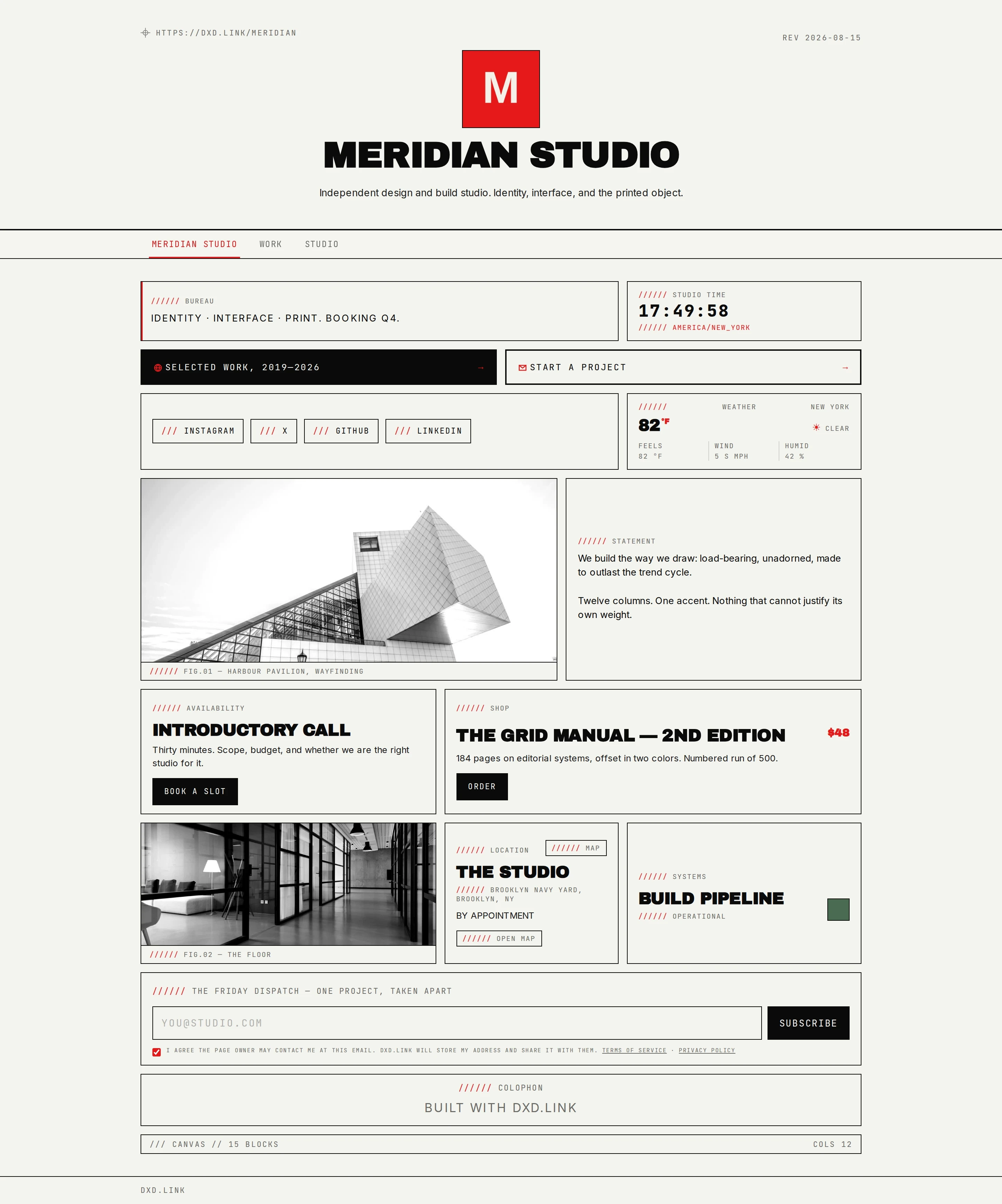
An example layout
A TEXT block with your positioning across the top. Then a grid of IMAGE covers, each paired with a LINK to the case study. Put the VIDEO reel full width in the middle and close with a BOOKING block.
Free and Creator
Every block and skin, preset accents, full draft and publish control, and separate desktop and phone layouts.
A custom accent hex, a Google web font, scoped CSS, Brand Kit for your logo and palette, a custom domain, and no dxd.link badge. Founding adds AI Look beta.
Questions
Can I match my own brand colors and type?
Free includes preset accents on every skin. Creator adds any accent hex, a Google web font, and scoped CSS. Brand Kit stores your logo and palette, and Suggest Look maps that palette onto a skin.
Does the phone layout follow the desktop grid?
Each breakpoint keeps its own block order. Arrange the desktop grid, then switch to the phone breakpoint in the editor and reorder for a narrow screen. Visitors only see what you publish.
Can I work from the keyboard?
Yes. The editor has a Cmd-K palette and single-key shortcuts for selecting, editing, and deleting blocks. You can also export your page as JSON, edit it, and import it back.
Can I use my own domain?
On Creator or Founding. Add a hostname such as www.yourname.com in Settings, create a CNAME to cname.dxd.link, then verify. Your dxd.link/yourname address keeps working.
- Custom domainPoint www.yourname.com at your dxd.link page with one CNAME record. Includes a branded you.dxd.link subdomain. On Creator and Founding.
- Multi-page link-in-bioAdd Work, Portfolio, Personal, Press, or Links tabs at dxd.link/you/work. Each tab has its own layout, skin, SEO, and draft. On Creator.