
A portfolio link-in-bio for photographers
dxd.link lets photographers build an image-led page: selected frames on a grid, a booking link, and where you are based. It works as a short portfolio you can share from Instagram or an email signature. Free includes every block and skin.
Blocks that matter
- IMAGEPicture
Selected frames at the size they deserve. Mix wide and tall tiles on the twelve-column grid instead of a uniform strip.
- BOOKINGScheduling Cta
Send clients to your calendar or inquiry form with session details in the body text.
- INSTAGRAMLatest PostLive on Creator
Feature a post and link to your profile. On Creator, a connected professional account keeps the latest post current on its own.
- MAPLocation
Show your studio address or the city you work from, with a note such as by appointment. It links to a map instead of embedding one.
- NOWLive Clock
A live clock in your timezone, so clients abroad know when you will reply. Add your city to show today's sunrise and sunset.
An example layout
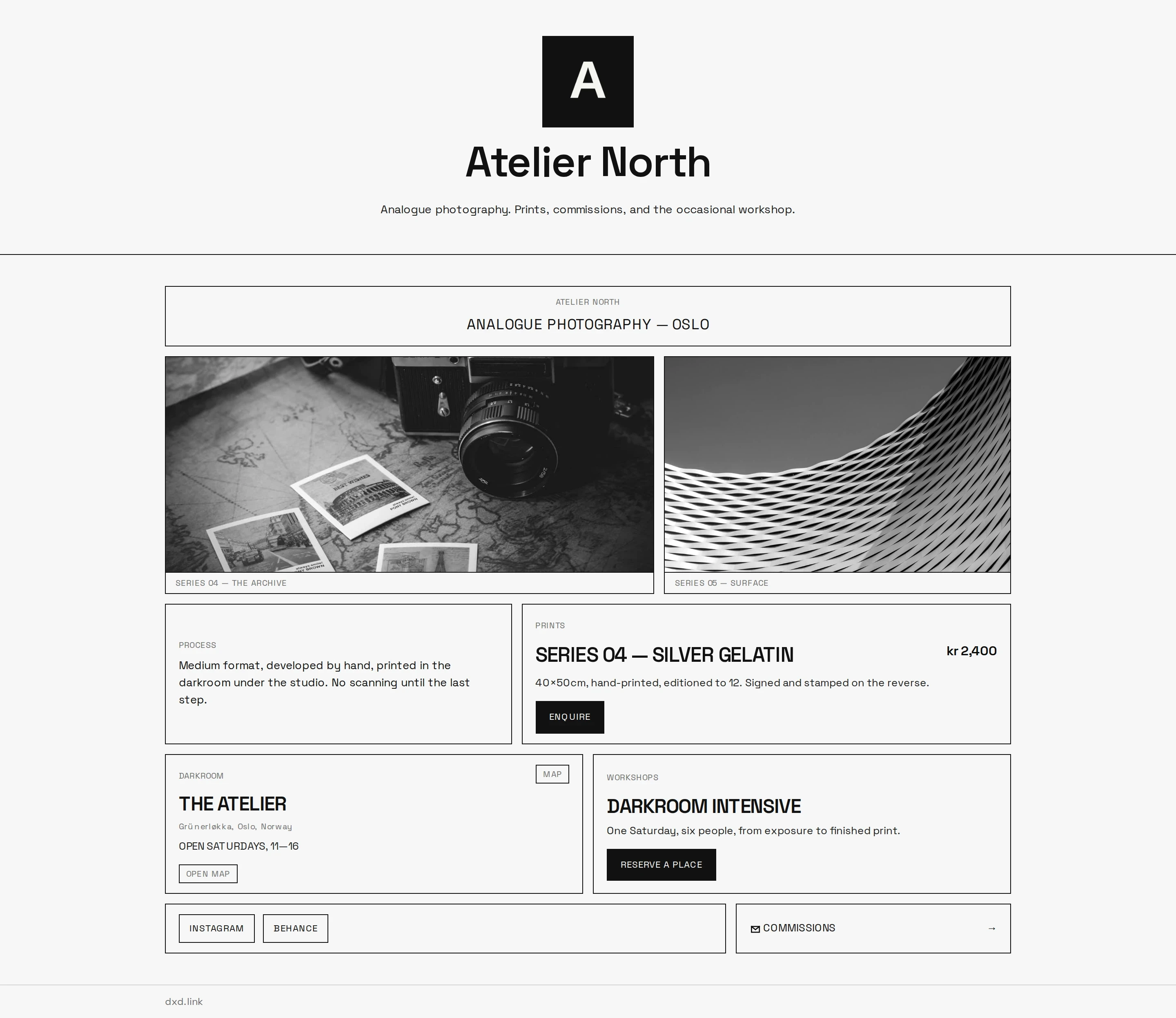
Open with one large IMAGE, then a row of three smaller frames. Follow with a BOOKING block beside a MAP block for the studio, and a NOW clock with sunrise and sunset for clients planning golden-hour sessions.
Free and Creator
Image uploads, every skin, accent presets, and basic views and clicks.
Live latest Instagram post, extra tabs for Weddings or Commercial work, a custom domain, full analytics with referrers and countries, and no dxd.link badge.
Questions
Is dxd.link a replacement for a portfolio website?
It works as a short portfolio and a front door. Show a tight selection on the page, then link to full galleries or client proofing elsewhere. If you want separate pages for different kinds of work, Creator adds tabs under one handle.
Can I show my latest Instagram post automatically?
Yes, on Creator or Founding, with a professional Instagram account connected in Settings. Turn on live mode in the INSTAGRAM block. On Free, you can feature a post and caption manually.
How many photos can I put on one page?
A page holds up to 200 blocks, so room is rarely the limit. A tight edit of ten to twenty frames usually reads better than a full archive. Link to full galleries for the rest.
Can I split weddings and commercial work?
On Creator, add tabs such as dxd.link/you/weddings and dxd.link/you/commercial. Each tab has its own layout, draft, and publish state, so you can send each client the tab that fits.
- Multi-page link-in-bioAdd Work, Portfolio, Personal, Press, or Links tabs at dxd.link/you/work. Each tab has its own layout, skin, SEO, and draft. On Creator.
- Custom domainPoint www.yourname.com at your dxd.link page with one CNAME record. Includes a branded you.dxd.link subdomain. On Creator and Founding.
- A portfolio and bio page for freelancersOne handle for Work, Personal, or Projects tabs. Keep client proof and personal links separate, share one URL, and publish when the draft is ready.
- Multi-page link-in-bio: one username, many sitesHow tabs give projects, personal links, and updates their own room under one handle.